As you all are aware that india localization now required you to get you sales invoices uploaded on the GST portal, where you shall be getting back an unique id (i.e. IRN Invoice Reference No.).
For this you need JSON file in a specified format as per GOVT, which needs to be uploaded in to GST portal.
So we now Dynamics NAV 2016 comes with an standard option to export the JSON file and upload the same. Now here you can only download a single document JSON file for upload.
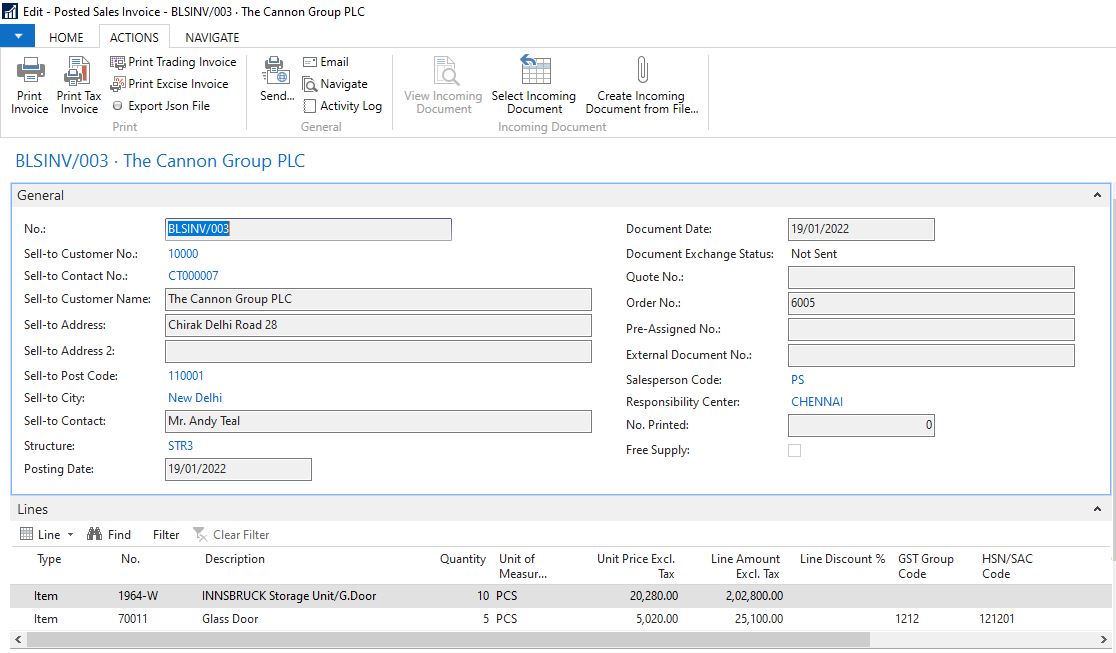
First we go to the Posted Sales Invoice list page and open the related document.
In the Action Tab :- Export JSON File, when you push this button system will generate a JSON file.
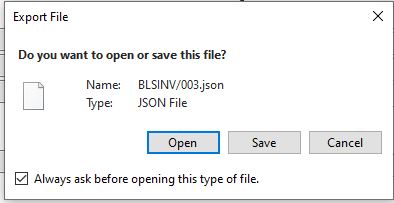
A pop window will appear and ask you to open ,save or cancel the window.
Here we shall first save te file and then will open it.
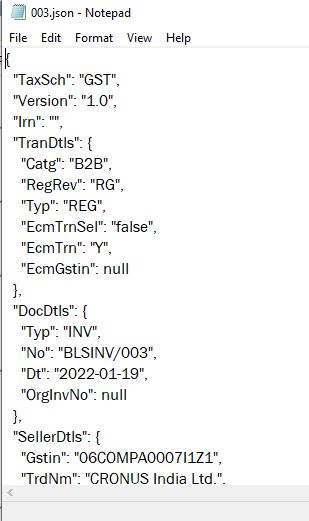
Below is the JSON file, which can now be uploaded on to the GST portal.
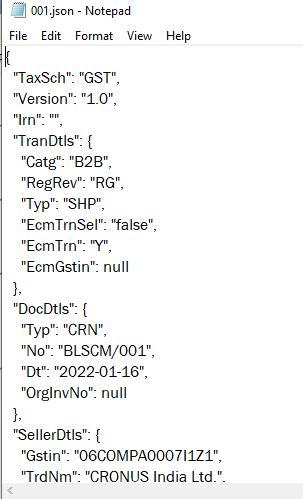
The same can be done for Sales Credit Memo.
Below JSON file for Sales Credit Memo.
So now what next, how do you get the IRN & QR onto your invoice.
You can get your erp system intergated with e-invoice functionality.
If you do not want to get the system intergated then you need to manually upload the JSON on to the portal, there are instruction avaliable on how you can get through there.