Digital payments are becoming the standard for customer collections. In Microsoft Dynamics 365 Business Central, users can quickly generate a UPI Payment QR Code directly from the Posted Sales Invoice for faster customer payments.
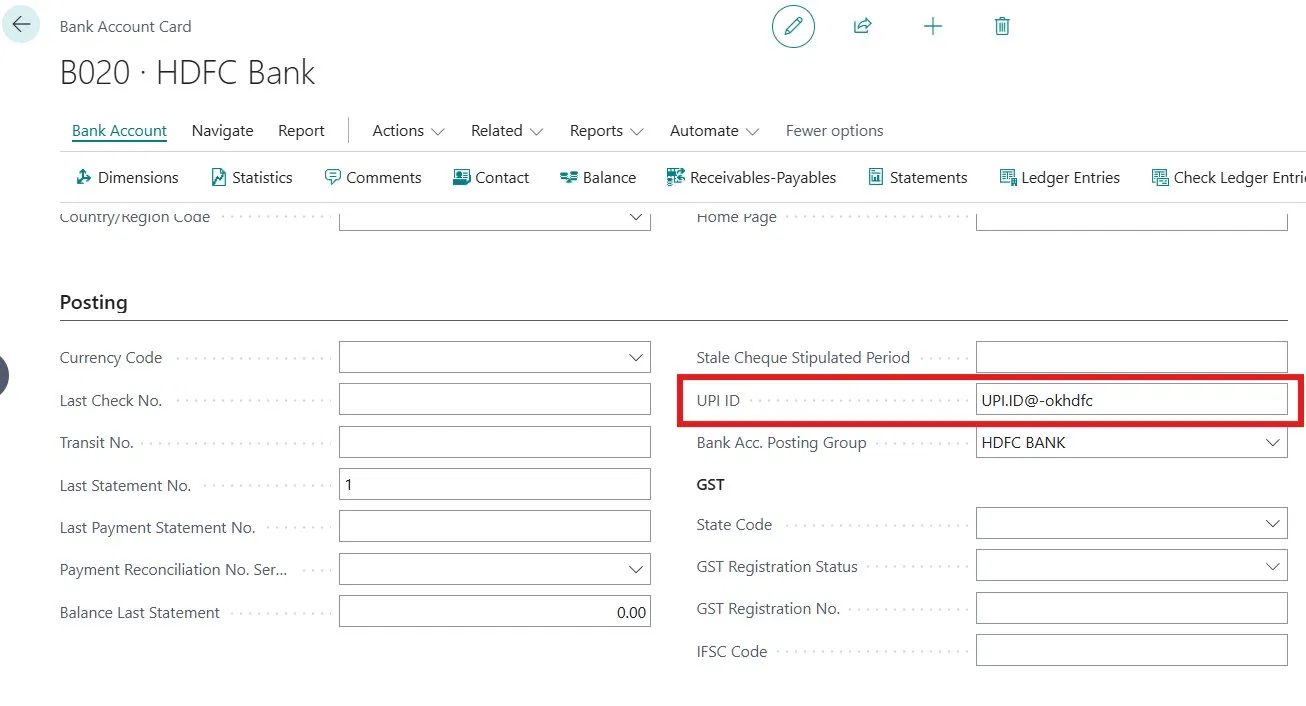
Step 1 – Define UPI ID in Bank Account
Search for the Bank Account and open the required bank account card. Enter the UPI ID in the UPI ID field. This UPI ID will be used for generating the payment QR Code.
Step 2 – Generate QR Code from Posted Sales Invoice
Create the Sales Invoice for an Unregistered Customer. Use the same Bank Account in the Company Bank Account Code field and post the invoice. Open the Posted Sales Invoice and under the Invoice tab click on Generate QR Code.
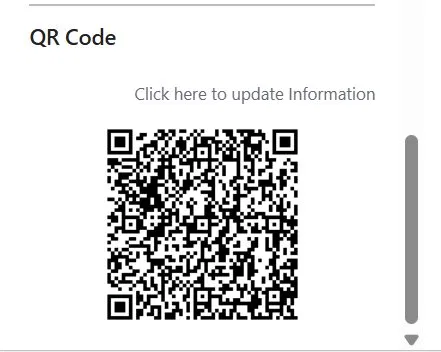
 Step 3 – System Generates UPI Payment QR Code
Once the button is clicked, the system automatically generates the UPI Payment QR Code. Customers can scan the QR code and complete the payment instantly using any UPI application.
Important Setup Requirement
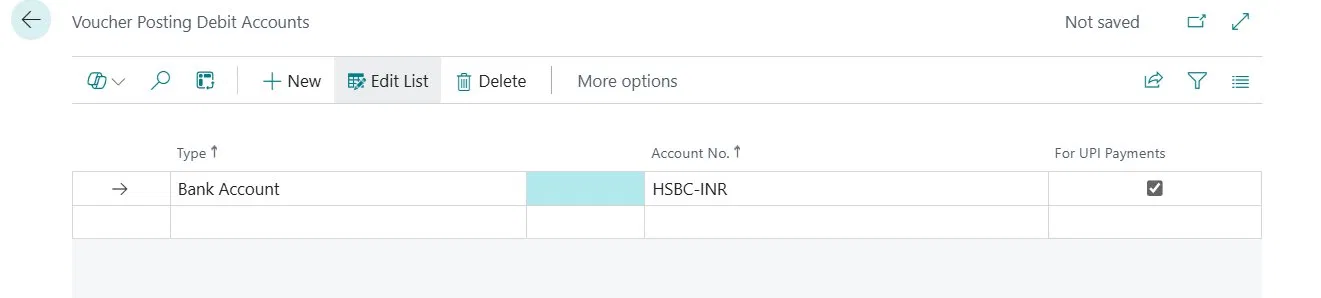
Voucher Posting Setup is mandatory for this functionality. Select the Type as 'Bank Receipt Voucher' and enable 'For UPI Payments'.
Key Benefits
- Faster payment collection
- Simple customer payment process
- Reduced manual payment follow-up
- Seamless UPI integration inside Business Central
Conclusion
Generating a UPI QR Code directly from the Posted Sales Invoice in Microsoft Dynamics 365 Business Central helps businesses streamline customer payments and improve collection efficiency. This functionality simplifies the payment experience while supporting faster and more secure digital transactions within the ERP system.
FAQs – UPI QR Code Generation in Microsoft Dynamics 365 Business Central
1. How do I generate a UPI QR Code in Microsoft Dynamics 365 Business Central?
Users can generate a UPI QR Code directly from the Posted Sales Invoice in Microsoft Dynamics 365 Business Central by configuring the UPI ID in the Bank Account Card and clicking on Generate QR Code after posting the invoice.
2. What are the benefits of UPI QR Code integration in Business Central ERP?
UPI QR Code integration in Business Central helps businesses improve payment collection speed, reduce manual follow-ups, enhance customer convenience, and support seamless digital payment processing within the ERP system.
3. Is UPI Payment QR Code functionality available for Posted Sales Invoices in Business Central?
Yes, Microsoft Dynamics 365 Business Central allows users to generate UPI Payment QR Codes directly from Posted Sales Invoices for faster and secure customer payments.
4. What setup is required to enable UPI QR Code generation in Dynamics 365 Business Central?
To enable UPI QR Code generation, businesses must configure the UPI ID in the Bank Account setup and enable Voucher Posting Setup with the Type set as Bank Receipt Voucher and For UPI Payments enabled.
5. Why should businesses use UPI QR Codes in ERP systems like Microsoft Dynamics 365 Business Central?
Businesses should use UPI QR Codes in ERP systems to simplify customer payments, automate payment collection processes, improve transaction efficiency, and support digital transformation initiatives.