An accounting or financial reporting period which is often of 12 months there may be various accounting periods for various business tasks. It is any time frame used for financial reporting.
To view and create the accounting period below are the steps.
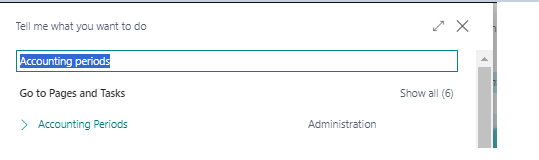
STEP1: - Search “Accounting Periods” in business central.
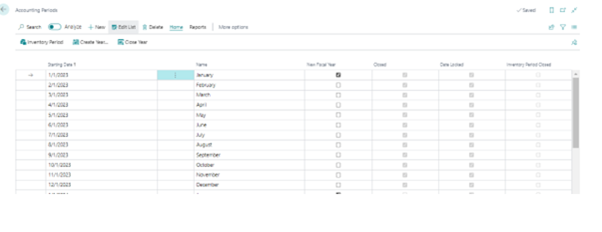
STEP2: - List of accounting periods will open.
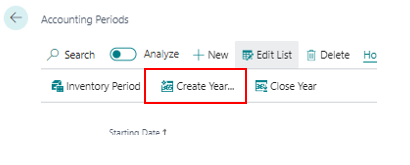
STEP3: - To create a new accounting period Click on “Create Year”.
STEP4: - When we click on create year system automatically suggest the new year. Here we also No. of Periods, and Period Length.
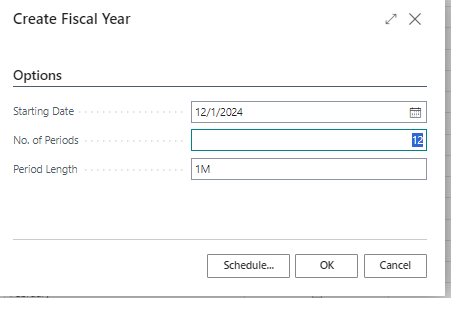
After Click on “OK” a new Fiscal Year will be created.
STEP5: - You can see the new created Fiscal Year there.
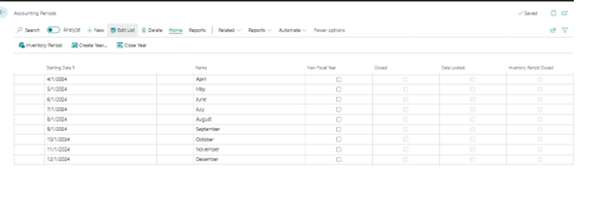
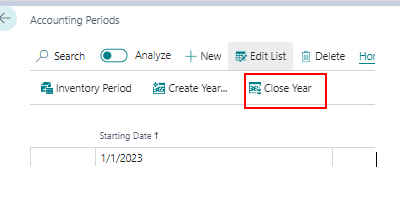
STEP6: - To close the Previous year whose all entries are done, and we are sure about it. We simply have to click on “Close Year”.
STEP7: - A new window will open.
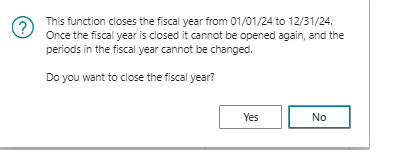
We cannot open the accounting period once it is closed. Therefore, we must be careful before doing that.