Hi, Readers.
Today I will demonstrate how to display name of the SystemCreatedBy and SystemModifiedBy on pages and reports in Business Central.
SystemCreatedBy and SystemModifiedBy field appear in every record as system fields.
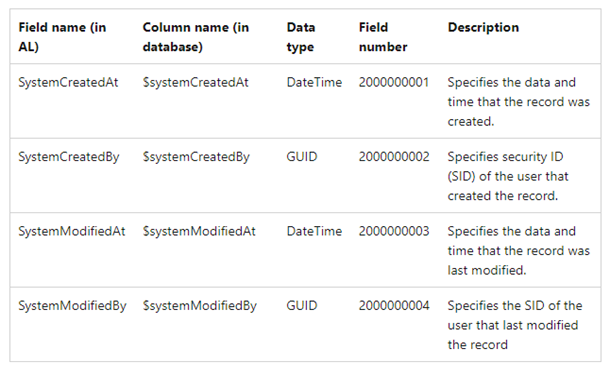
Fields are populated as follows:
- When a new record is created, before calling Insert, the audit fields are given blank GUIDs and blank dates as values.
- When a record is first inserted, the fields are populated with actual values.
The $systemCreatedBy and $systemModifiedBy fields are given the same value. So are the $systemCreatedAt and $systemModifiedAt fields.
The $systemCreatedBy and $systemCreatedAt fields won't change after this point.
- When a record is updated, the $systemModifiedBy and $systemModifiedAt fields are changed.
For more information go through the link >> https://learn.microsoft.com/en-us/dynamics365/business-central/dev-itpro/developer/devenv-table-system-fields
Let's begin with an example:
First, we start with the process of displaying SystemCreatedBy and SystemModifiedBy Name on a page.
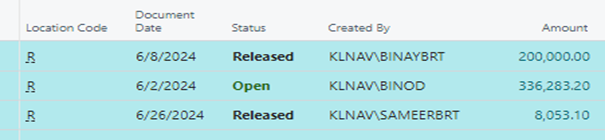
1) Here is the Sales Order List page, in which Created By Name is displayed.
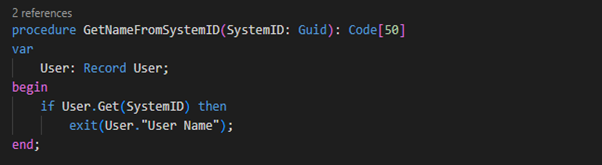
2) Create a procedure GetNameFromSystemID.
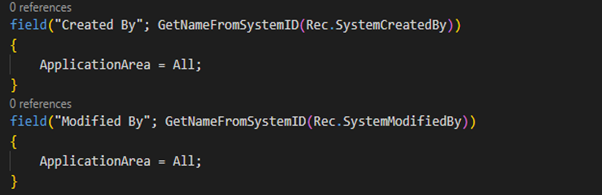
3) Use the GetNameFromSystemID procedure to display the SystemCreatedBy and SystemModifiedBy Name.
Now, we start with the process of displaying SystemCreatedBy & SystemModifiedBy Name in Report.
1) Extend “Purchase – Credit Memo” report and create a procedure GetNameFromSystemID
and invoke the procedure in the column
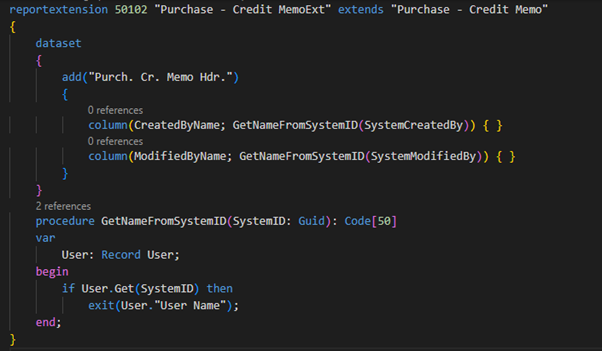
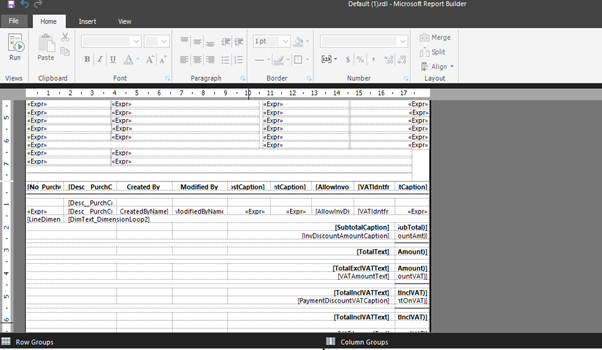
2) Add columns CratedByName and ModifiedByName in layout.
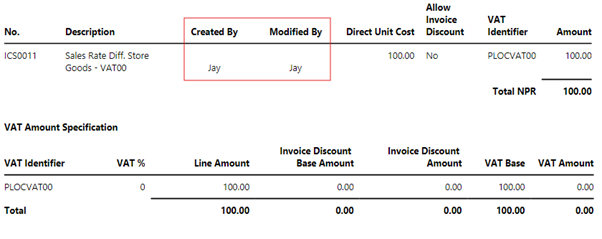
3) We can see Created By and Modified By on report.
Hope this will help.
Thanks for reading.